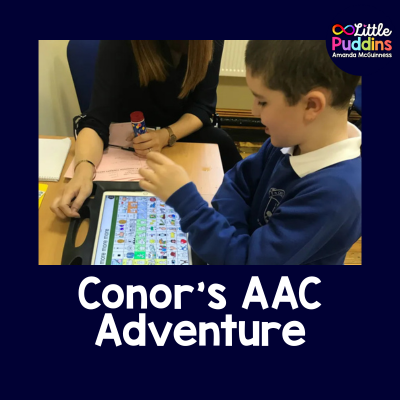
Conor’s AAC
AAC Ireland
On Tuesday we had our first AAC appointment with a Specialist Team that came down from Dublin to meet Conor. The appointment was arranged by a HSE Speech and Language Therapist. She had been working with Conor at school and nominated him to be put forward to the Team for assessment.
(This post was originally written in 2018, processes for accessing AAC have since changed. This was my family journey accessing AAC in 2018.)
How to apply for an AAC Device
(On the day of the appointment I asked his Speech Therapist how the Nomination Process works and she told me that every SLT under the HSE is entitled to nominate one child in their care for the Specialist Training. So if you have a child who you feel may benefit from Assistive Technology contact your Speech and Language Therapist and insist on their nomination. June 2018 was the first time ever I had heard about the Specialist Team or the fact that a child could be nominated.)
I received a call from his Speech Therapist last June, just before his Autism class finished for the Summer to let me know the nomination had been accepted and that he would be seen in October/November by the team! At the time I did not know myself what assistive technology really meant but I researched it and found a lot of information online about it.
On the day of the appointment we were met by Conor’s original SLT and also the SLT who was working with him last year (and who nominated him for assessment). Together we met the Team which consisted of two Therapists (I am omitting their names for their privacy).
They (the Specialist Team) spoke to Conor generally at first to assess his receptive language understanding. They used his communication book to ask him what he wanted to do (they had various fun activties on the table). He chose bubbles so they put aside his communication books and took out an IPAD Pro with a safety cover on it.
LAMP
The Ipad had an APP running on it called Lamp Words for Life. The APP can be downloaded directly from the APP store and is only accessible on the IPAD and not the Iphone or Ipod (in 2018). It is also only available from the US APP Store so you may have to change your settings to access it. The APP right now costs $299.99
LAMP (Language Acquisition through Motor Planning) is an augmentative and alternative communication app that relies on motor planning to assist people who do not use verbal communication as their primary method of communication.
Most every other AAC app is text and/or image-based, LAMP is designed around a consistent placement of the tiles/icons, so the action, or motion, of saying something becomes familiar. The Icons and their placement will not move so it is easier for the user to learn how to use the APP most effectively.
The icons do not change so it makes it much easier to set up and use as it requires so little customization (although you can customize it if you wish- the Specialist Team we met on the day do not recommend customization of the app at all.). It uses Icons and Text but what is most important about this APP is that the icons/images do not move.
There is a Vocabulary Builder tool within the LAMP APP and I really like this because this is where you can mask(hide) as many icons as you want when you are initially teaching your son/daughter how to use the APP for the first time. You can set it up to show/hide as many icons as you want.
Therapist’s Advice for Conor
In Conor’s case on the day of assessment the Therapist had ALL icons showing as she said straight off the bat Conor was able for it. She said depending on the child’s ability and understanding she would sometimes hide many of the icons and just have possibly 4/5 icons to begin with so the child would not be overwhelmed.
In time as your child would become more familiar you would start adding in more icons building up their LAMP vocabulary. The fact the icon positions do not change mean your child will always feel comfortable knowing where they are. (Consider a keyboard on your laptop, you always instinctively know where the keys are without looking).
Everything remains familiar with the APP so the child learns quickly where the icons are and this gives them more confidence in the APP and in their own ability.
The APP allows you to:-
Edit pronunciations
The Menu within the APP is password protected so your son/daughter can not alter it.
Edit/Alter the several voices that there are to choose from including pitch and speed.
You can choose whether to activate buttons on contact or release
Back-ups of the content is built in
There is a Facebook group and Twitter feed you can network with
You can find out more information about LAMP here.